Product

Seven surfaces, one truth

DineStack is not a suite of products that integrate. It is one event log with seven views onto it. Nothing stores a total — every figure on every screen is folded from the same events, every time it is asked for.

Evidence

Three of them, on the build they were certified on

The register, the pass and the same register with the network pulled. Same log, same money code, same order underneath all three.
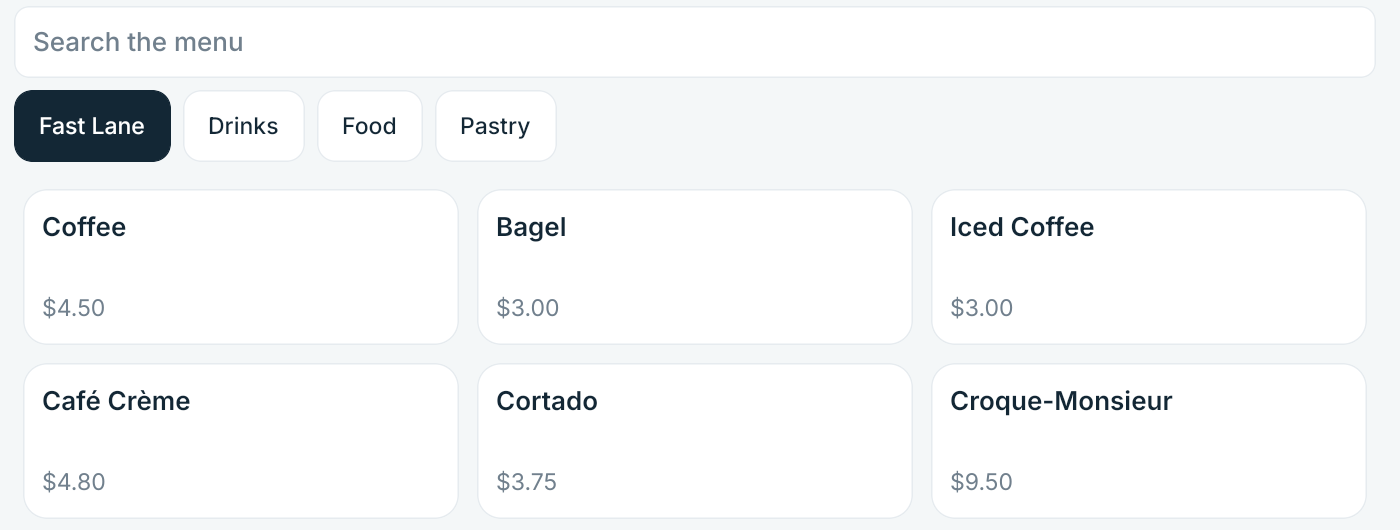
The DineStack register showing the Fast Lane tab beside Drinks, Food and Pastry, with menu items and their prices.
The register — certified build 0.9.3 (907).
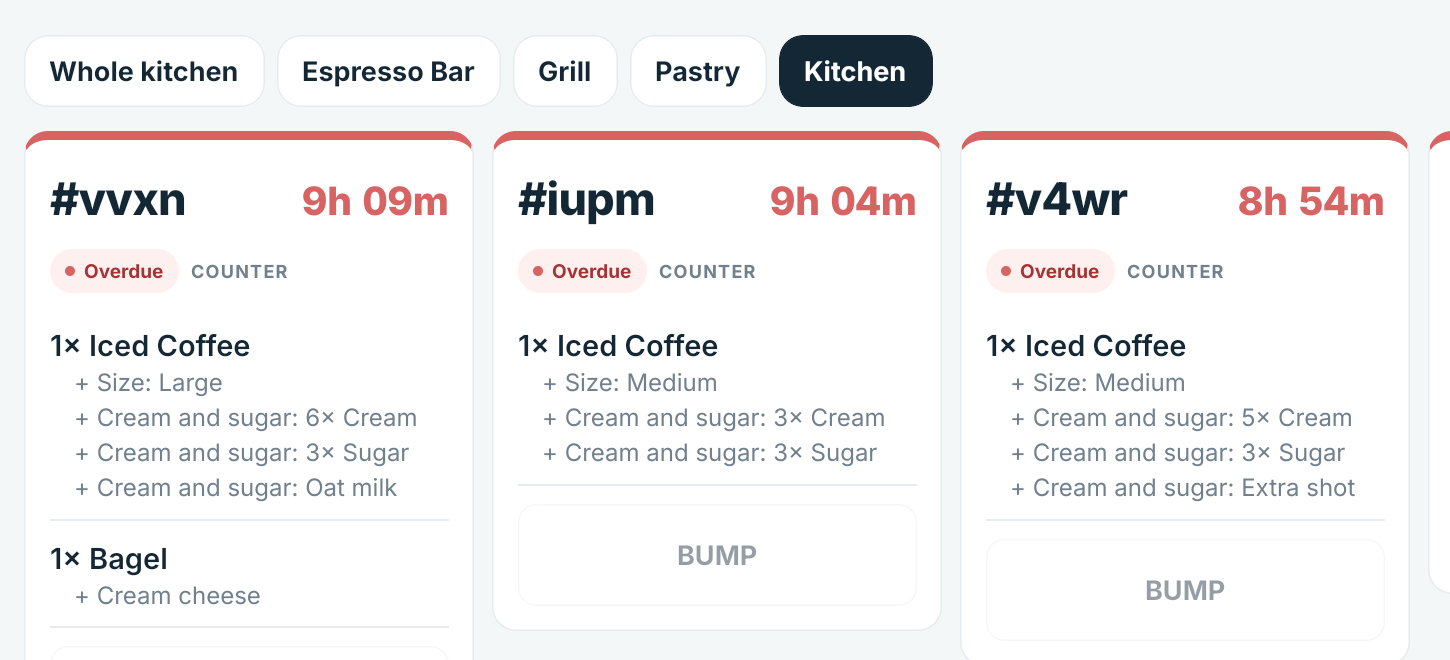
The DineStack kitchen board with tabs for the whole kitchen, espresso bar, grill and pastry, showing tickets and the modifiers under each item.
The kitchen board — station tabs and the station a ticket waits on.
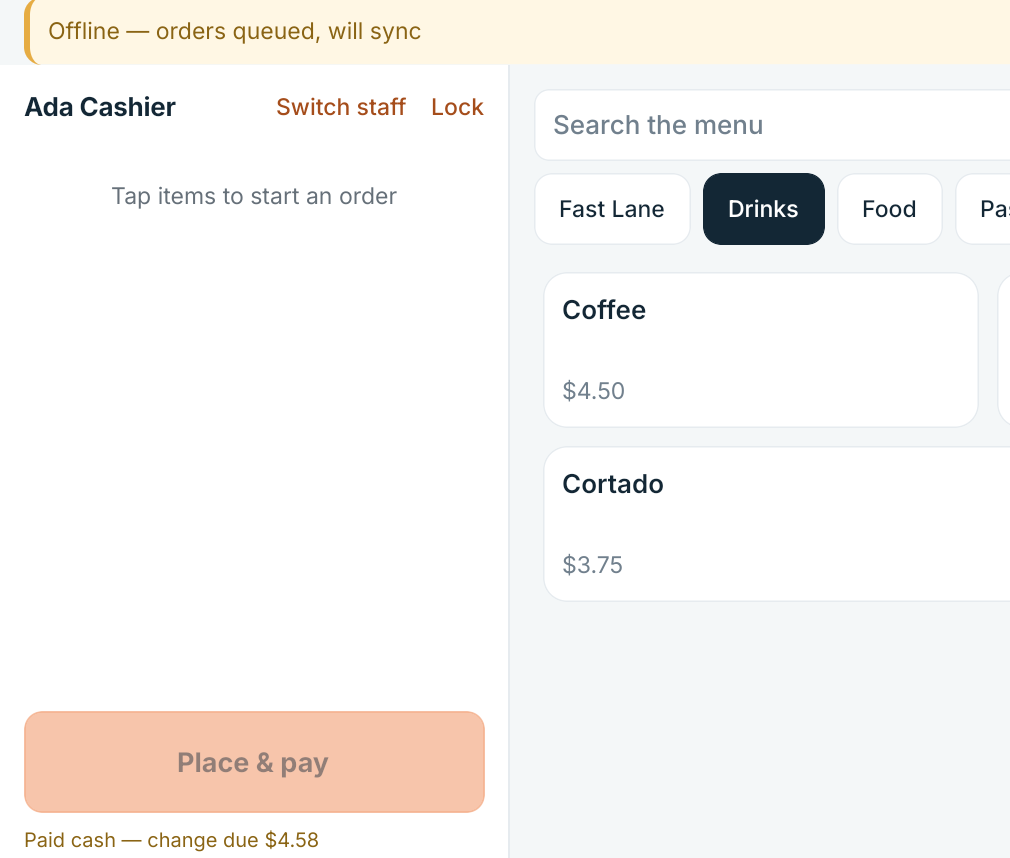
The DineStack register with an offline banner reading orders queued, will sync, and a completed cash sale showing the change due.
The same register, offline — orders queued, cash sale closed.

The architecture

Why that matters more than it sounds

Most restaurant software keeps its own copy of the numbers in each module and reconciles them later. It works until the night it does not.

The usual way

A copy per module

The sales report says one thing, the payout says another, and nobody can point at the order where they parted company. The cause is almost never explained to the restaurant.

This way

One record, projected

An append-only log on a tamper-evident chain, and every screen a projection over it. When two figures disagree, one of them is a bug in a projection and we can find it.

Corrections are new events. A manager fixing a forgotten clock-out leaves the original punch exactly where it was, with their name and their reason beside it. Nothing is edited and nothing is deleted — which is what makes the history worth reading three weeks later.

Surfaces

What each one does

Every surface reads the same events. What separates them is which ones they care about and what they are allowed to record.

POS

Where
Android tablet at the counter
Reads
menu, staff authorisation, order state, payment routes
Records
orders, lines, payments, cash counts, clock events, waste and receiving

Kitchen

Where
Tablet on the pass, or the same tablet in KDS mode
Reads
fired tickets and their items
Records
item ready, ticket complete

Admin

Where
Owner dashboard in a browser
Reads
everything the location has recorded
Records
menu, recipes, tax, rota, corrections, dispatch decisions

Money

Where
Settlement, reconciliation, disputes
Reads
payments, refunds, processor settlement, bank deposits
Records
external confirmations, corrections, dispute responses

Workforce

Where
Time, rota, overtime, tips, labour
Reads
clock events, schedule, labour policy, pay rates
Records
schedules, time corrections, tip pools

Driver

Where
Android app on your driver’s own phone
Reads
their own assignments and what is owed on each
Records
accept, pick up, arrive, collect, complete

Reports

Where
Sales, labour, attendance, overtime, tips, delivery
Reads
the same events every other surface reads
Records
nothing at all

Consequences

Two things that follow from it

Offline is not a degraded mode

A tablet holds its own copy of the log. It can authenticate staff, price an order and record a cash payment with no connection at all, because the same code that runs on the server runs on the device. Reconnecting replays what happened, deduplicated by a key the tablet generated before it tried.

The price on a receipt never changes

An order line carries the price and the tax rate it was rung up under. Change your menu tomorrow, or your tax rate next month, and last week’s orders still add up to exactly what the guest paid.

Get started