Restaurant operating system

The restaurant operating system that adapts to how you serve.

The register, the kitchen, the walk-in, your staff and the money in one system — so two screens can never disagree about what happened.
  • Certified offline
  • $149 per location, per month
  • $0 from your card processing
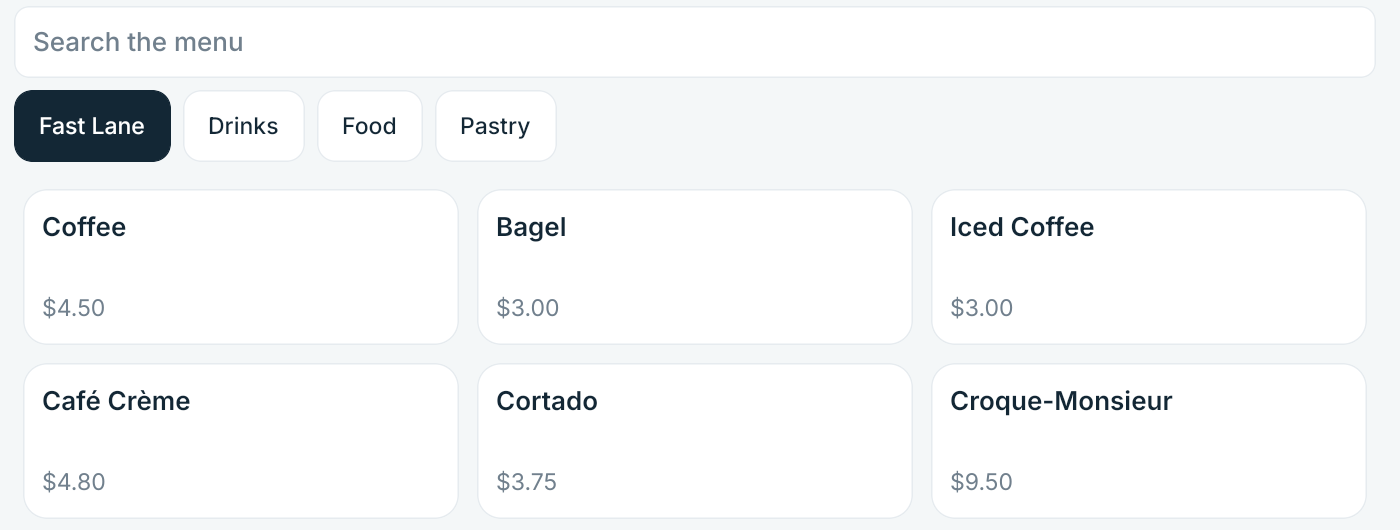
The DineStack register showing the Fast Lane tab beside Drinks, Food and Pastry, with menu items and their prices.
The register on the certified build 0.9.3 (907) — Fast Lane, menu search and prices as an operator sees them, photographed on the Lenovo it was certified on.

One system

Register, kitchen, shelf, staff and money — on one record.

Not five products with integrations between them. Every screen is a projection of the same event log, which is why none of them can drift.

Counter

POS register

An order in a few taps. Fast Lane holds your best sellers in one fixed position, and Quick Tender closes a cash sale without arithmetic.

Pass

Kitchen

Tickets arrive with modifiers laid out and an age readable across the pass. Kitchen station routing sends each item to the station that makes it.

Walk-in

Inventory

Firing a ticket takes the build off the shelf by itself. Waste and deliveries are recorded where they happen, with no connection.

Back office

Workforce clocking

Clock in at the counter or from a phone. Breaks, corrections that keep the original punch, overtime split by your policy.

Guests

Guest ordering

Your guests order from the menu the till uses, at the same prices, because it is the same menu — not a copy that drifts.

Ledger

Money and reconciliation

Sales, collections, refunds and the business day are each defined once and read from one place. Two screens cannot quietly count differently.

Everywhere

Offline

Not a degraded mode. Staff sign in, the menu loads, orders are taken and the kitchen keeps working with no connection at all.

POS

A register built for the rush

Seven on a Friday is the only benchmark that matters. Every one of these was proven on the tablet, not on a slide.

  • Fast Lane keeps your best sellers in one fixed position, so the tap never moves.
  • Offline menu search finds an item as it is typed, with no round trip to a server.
  • Default builds mean an item arrives configured; staff change only what differs.
  • Modifier groups and quantities handle sizes, options and quantities within the limits you set.
  • Quick Tender takes a note and shows the change without anyone doing sums.
The DineStack register showing the Fast Lane tab, a menu search box and priced items.
Register, certified build 0.9.3 (907).

Kitchen

The kitchen sees the order, not a printout

Each item goes to the station that makes it. The espresso bar sees drinks, the grill sees grill, and a ticket that needs both says so.
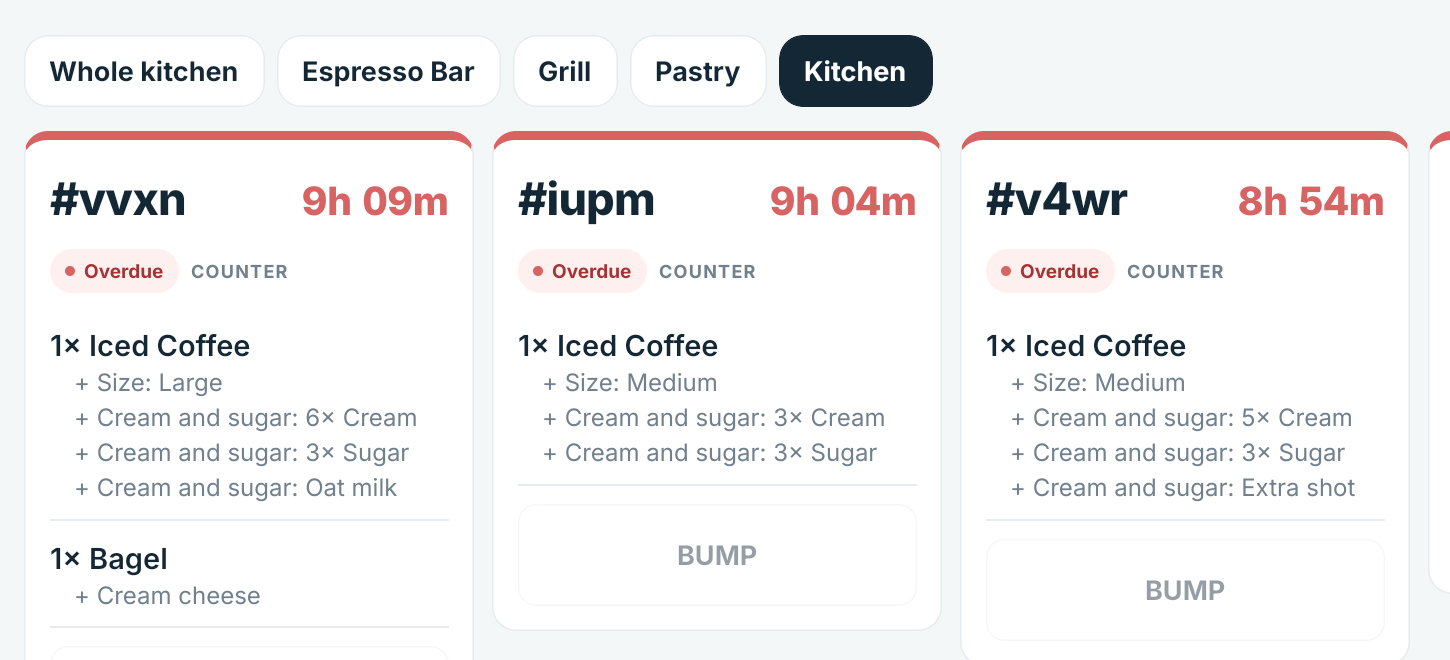
  • Station boards. Each station gets its own screen, or one screen shows the whole kitchen.
  • Routing is fixed when the order fires. Change the menu at noon and the ticket already cooking does not rearrange itself.
  • Waiting on tells a cook which other station is holding a ticket up.
  • Bumping is one large tap, and a screen that restarts comes back to the same board.
The DineStack kitchen board with tabs for the whole kitchen, espresso bar, grill and pastry, showing tickets and their modifiers.
The kitchen board during the certification run — station tabs, modifiers, and the station a ticket is waiting on. The timers are red because the rig was left running overnight.

Reconciliation

Know why the numbers are different

Every restaurant system can show you a total. The question that costs an owner a Sunday is why two totals disagree — and that is the one DineStack is built to answer.

  1. 1 — CounterOrder
  2. 2 — KitchenTicket
  3. 3 — TenderPayment
  4. 4 — ProcessorSettlement
  5. 5 — BankDeposit

One definition of a sale

Sales, collections, refunds and the business day are defined once. A figure does not change depending on which screen you opened.

Follow a figure back to the order

Order-level detail the whole way along. When the deposit and the till disagree, DineStack can show you which sale it was.

Unknown says unknown

A payment whose outcome never came back is held as in doubt — not rounded into a decline, not hidden as a zero.

Offline

Built to keep working

The internet going down should cost you a line, not a service. DineStack runs on the tablet itself, and the screen always says which state it is in.
  • Certified with no connection: staff sign-in, the full menu, search, taking orders, the kitchen board, and cash tender.
  • Orders queue and sync once. When the line comes back everything reconciles — never twice, whatever anyone tapped meanwhile.
  • The state is on the screen. Online, offline, syncing. Nothing degrades quietly.
What offline does not cover. Card payments run through Stripe Terminal. The server side is live-verified; the reader itself has not yet been certified on our hardware. Taking a card needs the reader and the processor to be reachable, so card acceptance depends on your connection and your payment provider in a way that cash does not. The till says so rather than failing a sale silently.
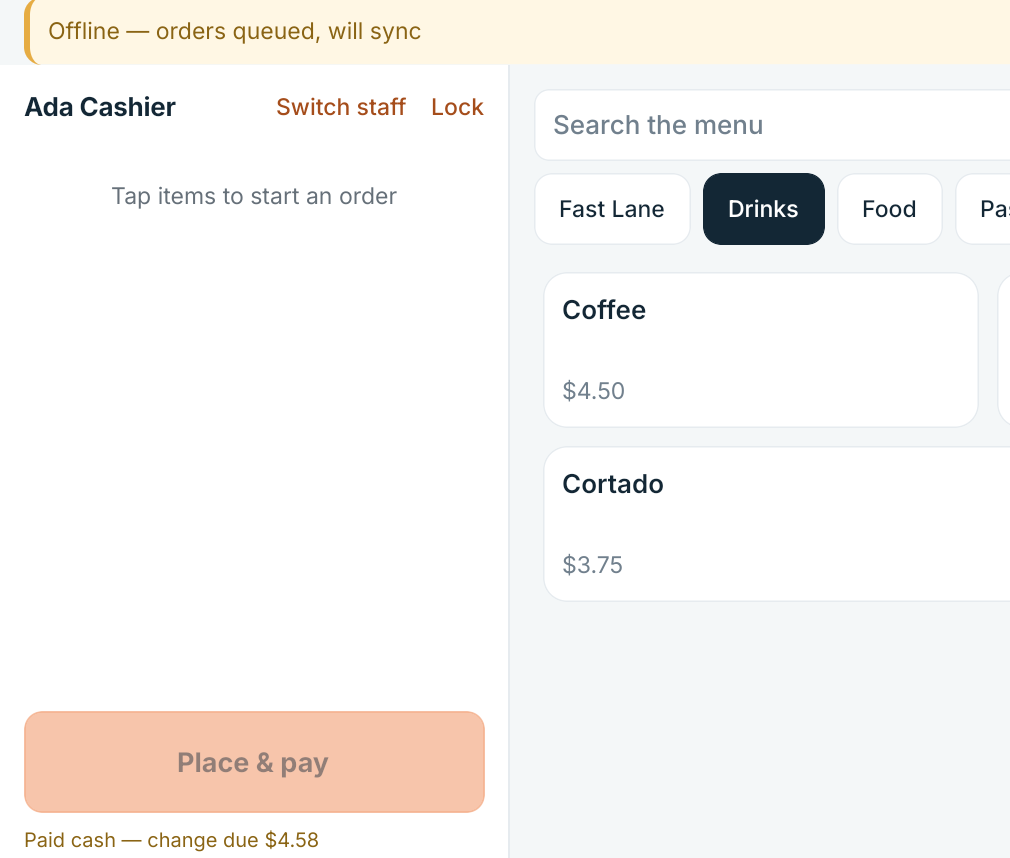
The DineStack register with an offline banner reading orders queued, will sync, and a completed cash sale showing the change due.
Offline on the certified build: orders queued, and a cash sale closed with the change due.

Adaptive

It adapts to how you actually serve

A coffee bar and a fast-casual kitchen do not run the same way, and they do not get the same screens. Nobody taps past a button their restaurant will never use.

Coffee

A latte arrives already built the way you make it. The barista changes only what the guest asked to have different.

  • Latte
  • Default build
  • Modifiers
  • Espresso bar

Fast casual

An entree is configured at the counter, routed to the station that cooks it, and called when it is up.

  • Entree
  • Modifiers
  • Kitchen station
  • Pickup
  • Coffee shops
  • Fast food and QSR
  • Fast casual
  • Mediterranean

Hardware

There is no DineStack terminal

DineStack runs on ordinary Android tablets you can buy anywhere. We take no margin on a device, and we publish what has actually been tested rather than claiming every Android tablet works.

  • Tablets you buy anywhere. One at the counter is enough, and up to six per location. The kitchen screen is the same kind of tablet.
  • Enrolled with a setup code. A tablet joins your restaurant in a few seconds, and the same signed build runs on all of them.
  • The card reader comes from your payment provider, shipped directly to the restaurant at their price. Where a tablet has NFC, cards can be taken on the device with no reader at all.
The photograph is being taken.

Rather than show a rendering of hardware that does not exist, this frame stays empty until the real tablet has been photographed.

The certified Lenovo TB311FU on a counter, running the build it was certified on — photographed, not rendered.

Pricing

One price, everything included

No tiers, no per-terminal fee, and no module you have to add later to get the thing you actually needed.

  • $149per location, per month — every module included
  • $0taken from your card processing. Your rates stay between you and your processor
  • No contractno setup fee, and no cancellation fee

DineStack takes $0 from your card processing. We will walk you through the till, the kitchen board and the money on a real build — and tell you plainly what is proven and what is not yet.

Get started